

How to Optimize Your HubSpot Setup for Sales, Marketing, and Customer Success
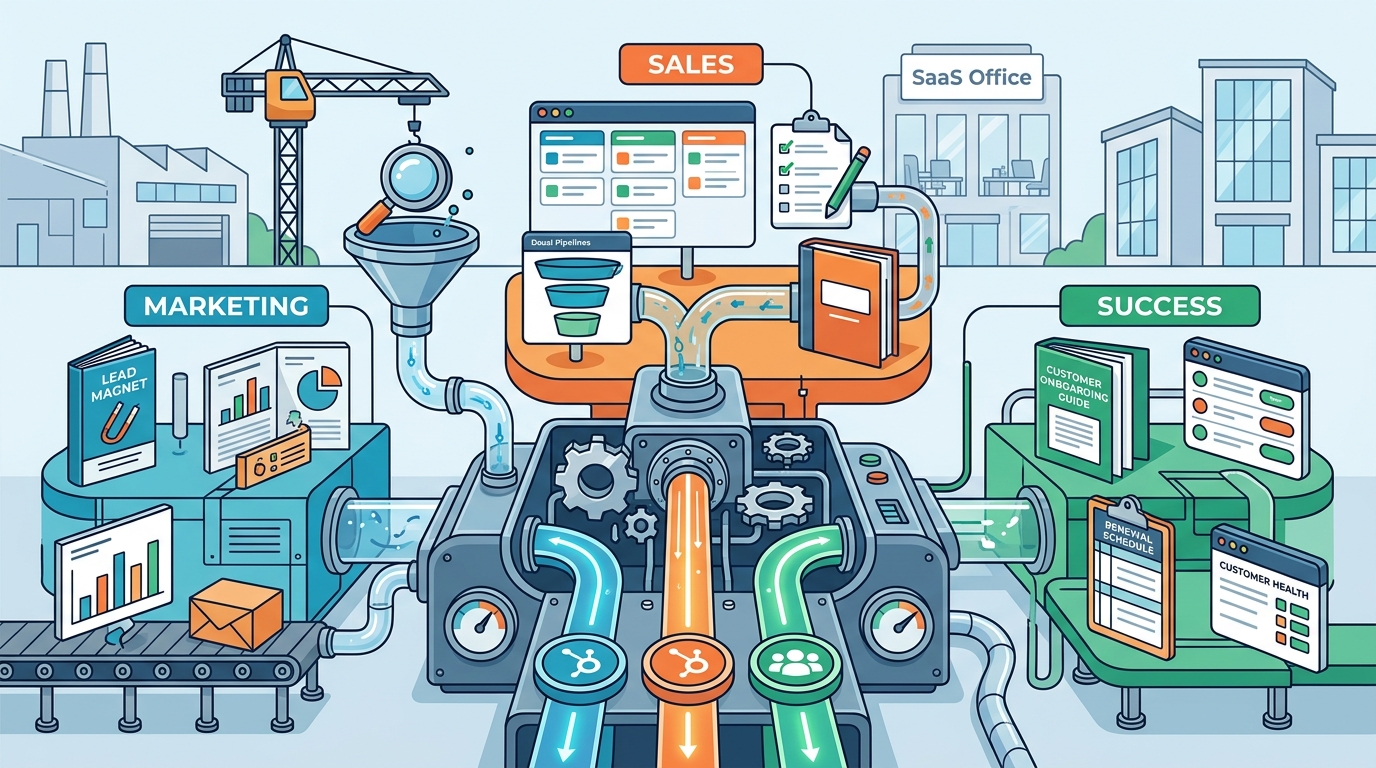
According to recent industry data, organizations that effectively align their sales and marketing teams through CRM optimization see a 209% increase in marketing revenue. This statistic highlights the critical importance of a unified HubSpot architecture. Many businesses treat HubSpot as a simple contact database, but it is actually a comprehensive revenue operations engine. When configured correctly, it serves as the central nervous system for your entire customer lifecycle. This guide details the structural changes required to transform your HubSpot instance from a passive storage tool into an active growth driver. (Revenue Operations Agency About)
Building a Robust Data Foundation
The effectiveness of any HubSpot strategy depends entirely on the quality of the data within it. CRM is the centralized repository for all customer interactions. Without clean, structured data, automation fails and reporting becomes inaccurate. The first step in optimization is auditing your custom properties and object types. (B2B Sales Strategy Services)
Standardizing Custom Properties
Many companies create custom properties ad-hoc, leading to data silos and inconsistent reporting. You must establish a governance model for property creation. This involves defining standard naming conventions, data types, and visibility settings. For example, a "Deal Size" property should be a number type, not a text field, to allow for accurate forecasting. Consistent data entry ensures that your sales team can filter and segment leads effectively. (Set2Close Revenue Ops Consultants)
Implementing Data Hygiene Protocols
Data decays rapidly. Studies show that contact data loses accuracy by approximately 30% every year. To combat this, implement automated data enrichment tools within HubSpot. These tools automatically update contact records with current job titles, company sizes, and social profiles. Regularly scheduled audits help identify duplicate records and outdated information. This ensures that your marketing campaigns target the most relevant and current prospects. (Blog amp Resources)
Marketing Automation & Lead Nurturing
Marketing in HubSpot extends beyond email campaigns. It involves creating a seamless journey from awareness to conversion. Optimization here requires a focus on personalization and behavioral triggers. (AI Agents)
Advanced Workflow Automation
Basic email sequences are no longer sufficient. You need to build complex workflows that react to user behavior. For instance, if a prospect downloads a whitepaper, they should automatically be tagged as "Interested in Content." If they visit the pricing page three times, they should be routed to a sales development representative. This level of granularity allows for hyper-personalized communication. It reduces manual workload and increases the speed of response.
SEO and Content Strategy Integration
HubSpot’s CMS Hub provides powerful SEO tools that should be leveraged for organic growth. Optimize your blog posts and landing pages with targeted keywords and meta descriptions. Use the built-in analytics to track which content drives the most qualified leads. Align your content calendar with your sales team’s feedback on common buyer objections. This creates a feedback loop where marketing content directly supports sales conversations.
Sales Enablement & Pipeline Management
For the sales team, HubSpot must be a tool that accelerates deals, not a administrative burden. The setup should focus on visibility and ease of use.
Customizing Sales Pipelines
Your sales pipeline stages should reflect your actual sales process. Avoid generic stages like "Open" or "Closed." Instead, use specific stages such as "Qualified," "Proposal Sent," and "Negotiation." This provides granular insight into where deals are stalling. Use deal forecasting to predict future revenue based on current pipeline health. This allows leadership to make informed decisions about resource allocation and hiring.
Seamless CRM Integration
HubSpot should integrate seamlessly with your existing tech stack. Whether you use Slack for communication, Zoom for meetings, or LinkedIn for prospecting, these tools should sync data back to HubSpot automatically. This eliminates manual data entry and ensures that every interaction is logged. Sales representatives can focus on selling rather than updating spreadsheets. This integration is crucial for maintaining a single source of truth for customer data.
Customer Success & Retention
Customer success is often overlooked in HubSpot implementations. However, retaining existing customers is more cost-effective than acquiring new ones. The Service Hub plays a pivotal role here.
Proactive Support Strategies
Use the Service Hub to track customer health scores. Monitor ticket volume, response times, and satisfaction ratings. If a customer’s health score drops, trigger an alert for the account manager. This allows for proactive intervention before the customer churns. Personalize support interactions by providing agents with full context of the customer’s history. This leads to faster resolution times and higher customer satisfaction.
Feedback Loops and Continuous Improvement
Implement automated surveys to gather customer feedback at key touchpoints. Use this data to identify pain points in the product or service. Share this feedback with the product and marketing teams. This creates a continuous improvement cycle that enhances the overall customer experience. Happy customers are more likely to become advocates and refer new business.
Leveraging AI Agents for Efficiency
Artificial intelligence is transforming how we interact with CRM data. HubSpot’s AI capabilities, including AI agents, offer significant advantages in data processing and insight generation.
Automated Data Extraction
AI agents can rapidly extract critical information from unstructured data sources. This includes emails, documents, and web profiles. This capability allows sales teams to build comprehensive prospect profiles in minutes rather than hours. The AI can identify key decision-makers, recent news, and potential pain points. This enriched data enables more personalized and effective outreach.
Predictive Insights and Recommendations
HubSpot’s AI provides predictive insights into deal closure probability and customer churn risk. These predictions are based on historical data and current behavior patterns. Sales leaders can use this information to prioritize high-value deals and allocate resources effectively. AI-driven recommendations also suggest the next best action for each contact. This ensures that every interaction is purposeful and aligned with the customer’s journey.
Key Takeaways
- Data Integrity is Paramount: Regular audits and standardized properties prevent reporting errors and ensure accurate forecasting.
- Automation Drives Efficiency: Complex workflows that react to user behavior significantly increase conversion rates and reduce manual work.
- Sales Pipeline Visibility: Customized stages and forecasting tools provide critical insights into revenue health and deal progression.
- Customer Success is Proactive: Monitoring health scores and triggering alerts helps prevent churn and improves retention.
- AI Enhances Decision Making: AI agents provide rapid data extraction and predictive insights that empower sales teams.
- Integration is Key: Seamless connections with other tools create a unified ecosystem for all customer interactions.
- Content Alignment: Marketing content should directly address sales objections to create a cohesive buyer journey.
Frequently Asked Questions
How long does a typical HubSpot optimization take?
Typically, a comprehensive optimization project ranges from 3 to 6 months. This timeline allows for proper data migration, workflow configuration, and team training. Some organizations may require longer timelines to fully adapt to the new processes.
What is the cost of HubSpot optimization services?
Pricing is usually project-based and varies depending on the complexity of your setup. Factors include the number of users, the extent of custom development, and the level of ongoing support required. Custom payment plans are often available to suit different organizational needs.
Can HubSpot replace my current CRM?
Yes, HubSpot is designed to be a comprehensive alternative to traditional CRMs. It offers robust sales, marketing, and service hubs that can consolidate multiple tools into one platform. Many companies successfully transition from Salesforce or other CRMs to HubSpot for its user-friendly interface and scalability.
How does HubSpot support buyer-centric sales?
HubSpot supports buyer-centric sales by providing tools to track and understand buyer behavior. Features like lifecycle stages, engagement scores, and personalized content recommendations help sales teams tailor their approach to each buyer’s unique needs and journey.
What are the benefits of using AI agents in HubSpot?
AI agents automate time-consuming tasks such as data enrichment and lead scoring. They provide real-time insights and recommendations that help sales teams prioritize high-value opportunities. This leads to faster response times and more effective engagement with prospects.
How do I measure the ROI of my HubSpot investment?
Use HubSpot’s analytics dashboard to track key metrics such as marketing qualified leads (MQLs), sales qualified leads (SQLs), and customer acquisition cost (CAC). Compare these metrics against your revenue growth to determine the return on investment. Regular reporting helps identify areas for improvement and justifies the investment.
Is HubSpot suitable for small businesses?
Yes, HubSpot offers scalable solutions for businesses of all sizes. The free CRM tier provides essential contact management features, while paid tiers unlock advanced automation and analytics. Small businesses can start with basic tools and upgrade as they grow, ensuring they only pay for what they need.
Start Your Engine
Optimizing your HubSpot setup is not a one-time task but an ongoing process of refinement and growth. By focusing on data integrity, automation, and strategic alignment, you can unlock the full potential of your revenue operations. Whether you need help with CRM development, marketing automation, or sales strategy, our team is ready to assist you. Contact us today to schedule a consultation and start scaling your business with HubSpot.